> For the complete documentation index, see [llms.txt](https://docs.swanchain.io/llms.txt). Markdown versions of documentation pages are available by appending `.md` to page URLs; this page is available as [Markdown](https://docs.swanchain.io/swan-inference/how-to-use.md).

# For Developers

Step-by-step guide to using Swan 2.0 Inference Cloud as a consumer

This guide walks through using Swan Inference as a developer consuming AI models — starting with a no-signup trial, then creating an account, topping up, and making real API requests.

{% hint style="info" %}
Looking to earn by providing GPU resources instead? See [Become a Provider](/swan-inference/become-a-provider.md) for the step-by-step setup guide.
{% endhint %}

## 0. Try it now — no signup

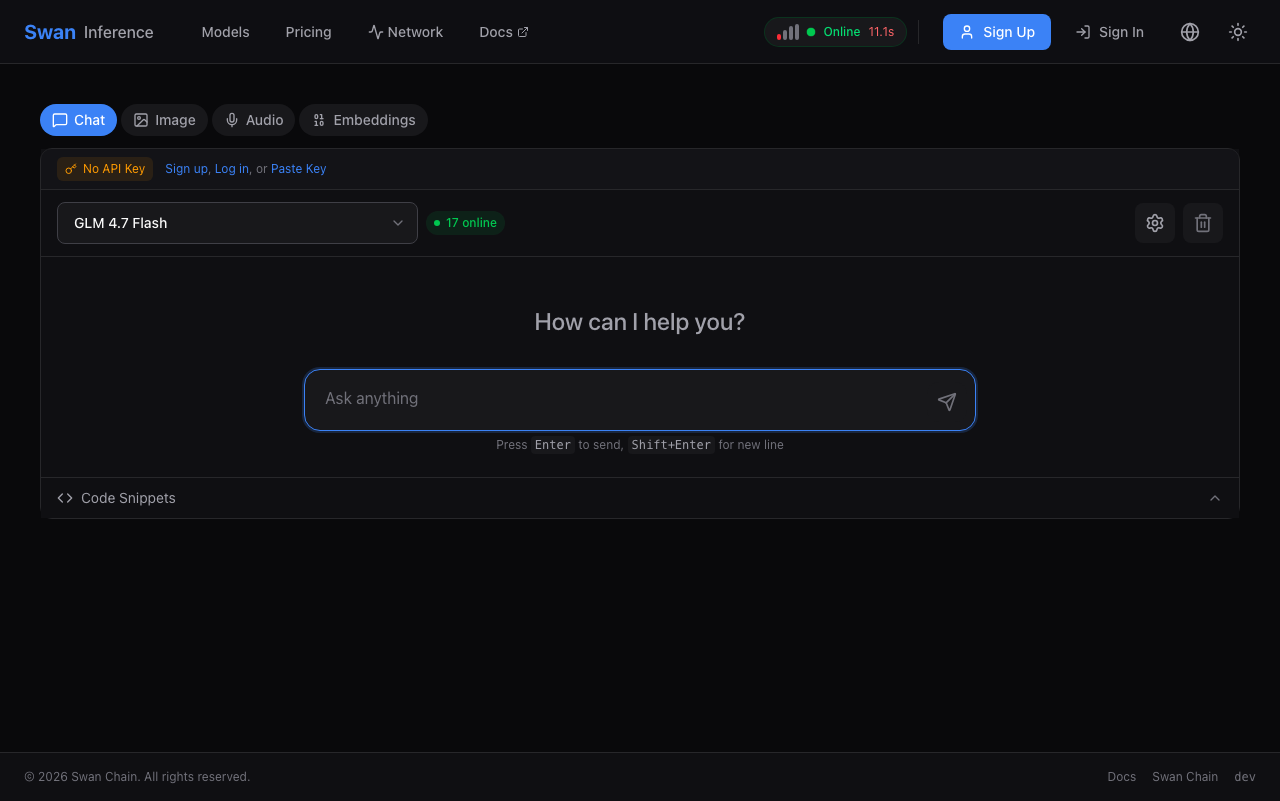
The fastest way to see Swan Inference in action: open the [playground](https://inference.swanchain.io/playground), pick a model, and send a message. No account, no API key, no credit card.

<figure><img src="https://3478205236-files.gitbook.io/~/files/v0/b/gitbook-x-prod.appspot.com/o/spaces%2FcvUWH8GhRCqvKwuN0BGF%2Fuploads%2Fgit-blob-e92da438e839d50946712af3e15c1b7a42ee9143%2Fplayground.png?alt=media" alt="Swan Inference playground"><figcaption><p>Playground — runs GLM 4.7 Flash for anonymous visitors, rate-limited per IP.</p></figcaption></figure>

Ready for more? Sign up below to get an API key and start integrating.

## 1. Sign up and get your API key

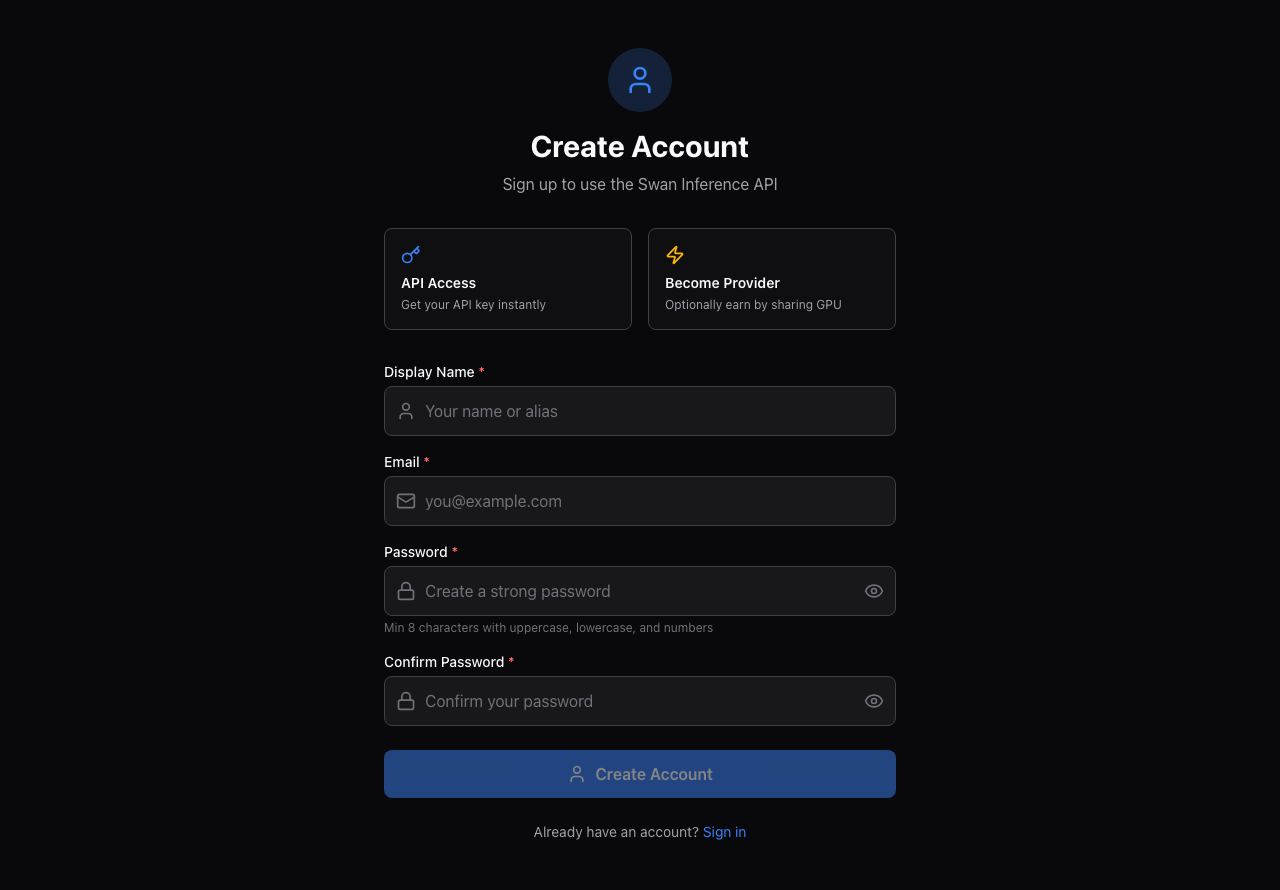
Create a free account at [inference.swanchain.io/signup](https://inference.swanchain.io/signup) — email and password only, no credit card required.

<figure><img src="https://3478205236-files.gitbook.io/~/files/v0/b/gitbook-x-prod.appspot.com/o/spaces%2FcvUWH8GhRCqvKwuN0BGF%2Fuploads%2Fgit-blob-9051d3a15307419ae3323a5d7a38b8dca8fd712c%2Fsignup.png?alt=media" alt="Swan Inference signup form"><figcaption><p>Sign up with email and password.</p></figcaption></figure>

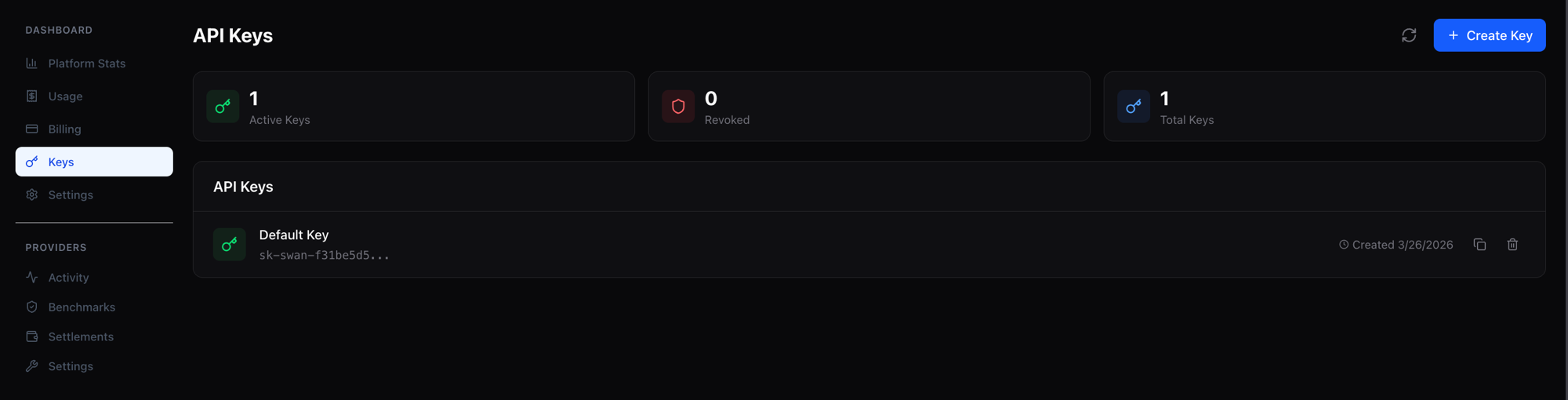
After signing up, navigate to **Keys** in the dashboard. Your API key (`sk-swan-*`) is generated automatically — copy it and keep it secret.

<figure><img src="https://3478205236-files.gitbook.io/~/files/v0/b/gitbook-x-prod.appspot.com/o/spaces%2FcvUWH8GhRCqvKwuN0BGF%2Fuploads%2Fgit-blob-db8bb80e88cfd8f0bde7a76870e45ed8fece1807%2Fdashboard-api-key.png?alt=media" alt="Dashboard showing API key"><figcaption><p>Your API key appears under Keys in the dashboard.</p></figcaption></figure>

## 2. Top up credits

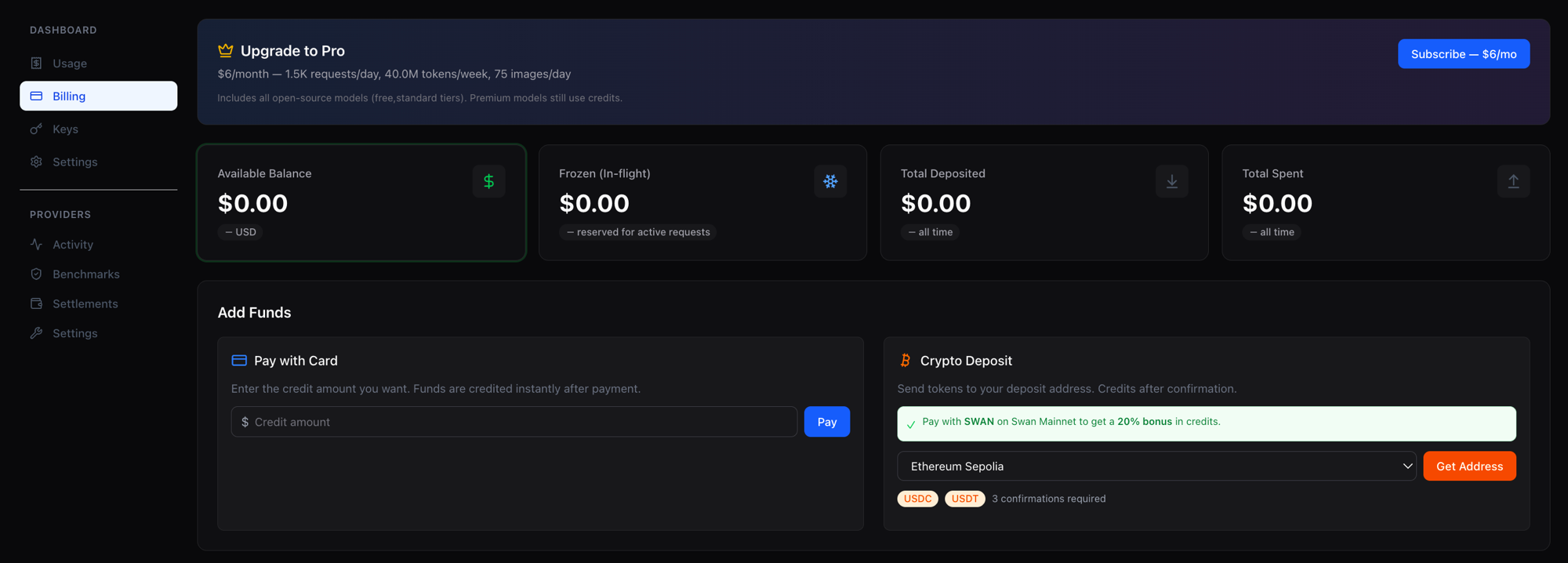
Inference requests are paid per token, deducted from your account balance in real time. Fund your account via Stripe (credit card) or crypto deposit (USDC / USDT / SWAN on multiple EVM chains).

* **Stripe:** instant processing, minimum deposit $5
* **Crypto:** per-user HD-derived deposit address shared across EVM chains, minimum $1

<figure><img src="https://3478205236-files.gitbook.io/~/files/v0/b/gitbook-x-prod.appspot.com/o/spaces%2FcvUWH8GhRCqvKwuN0BGF%2Fuploads%2Fgit-blob-43d620f56c22594fc96aa8b64cfa000f74099b41%2Fdeposit.png?alt=media" alt="Deposit credits via Stripe or crypto"><figcaption><p>Add funds via Stripe card payment or crypto deposit.</p></figcaption></figure>

### 20% bonus when depositing SWAN

Depositing SWAN tokens on Swan Mainnet credits your account with a **20% bonus on top of the USD value** — $100 of SWAN becomes $120 of credits. Your account balance is a single USD-denominated pool regardless of how it was funded, so there's nothing special to toggle at request time; you simply get more credits per dollar when you deposit SWAN.

Combined with Swan's already-lower per-token pricing, the deposit bonus pushes effective rates roughly 50–66% below going direct to Anthropic or Google for comparable models. Flip the **Pay with: SWAN** toggle on the [pricing page](https://inference.swanchain.io/pricing) to see the effective rate across every model.

<figure><img src="https://3478205236-files.gitbook.io/~/files/v0/b/gitbook-x-prod.appspot.com/o/spaces%2FcvUWH8GhRCqvKwuN0BGF%2Fuploads%2Fgit-blob-05773e5410c040989aa34d418d6875c13ca95270%2Fswan-toggle.png?alt=media" alt="Pay-with-SWAN toggle on pricing page"><figcaption><p>Flip the Pay-with toggle to SWAN to preview the effective rate after the 20% deposit bonus.</p></figcaption></figure>

Usage is deducted from your balance per request. View balance, usage, and the transaction ledger under **Billing** in the dashboard.

### Or subscribe to the Token Plan

If you mostly use open-source models, the **Pro plan** ($6/month, billed monthly by card) includes **40M tokens per week and 1,500 requests per day on standard-tier models**, plus 75 images/day. Premium-tier models (Claude, Gemini Pro, …) stay pay-as-you-go from your credit balance, as does anything beyond the allowance and any request where you [choose the provider yourself](#5-optional-choose-the-provider). Subscribe from the [pricing page](https://inference.swanchain.io/pricing); a model's tier is shown on its catalog page.

## 3. Browse models

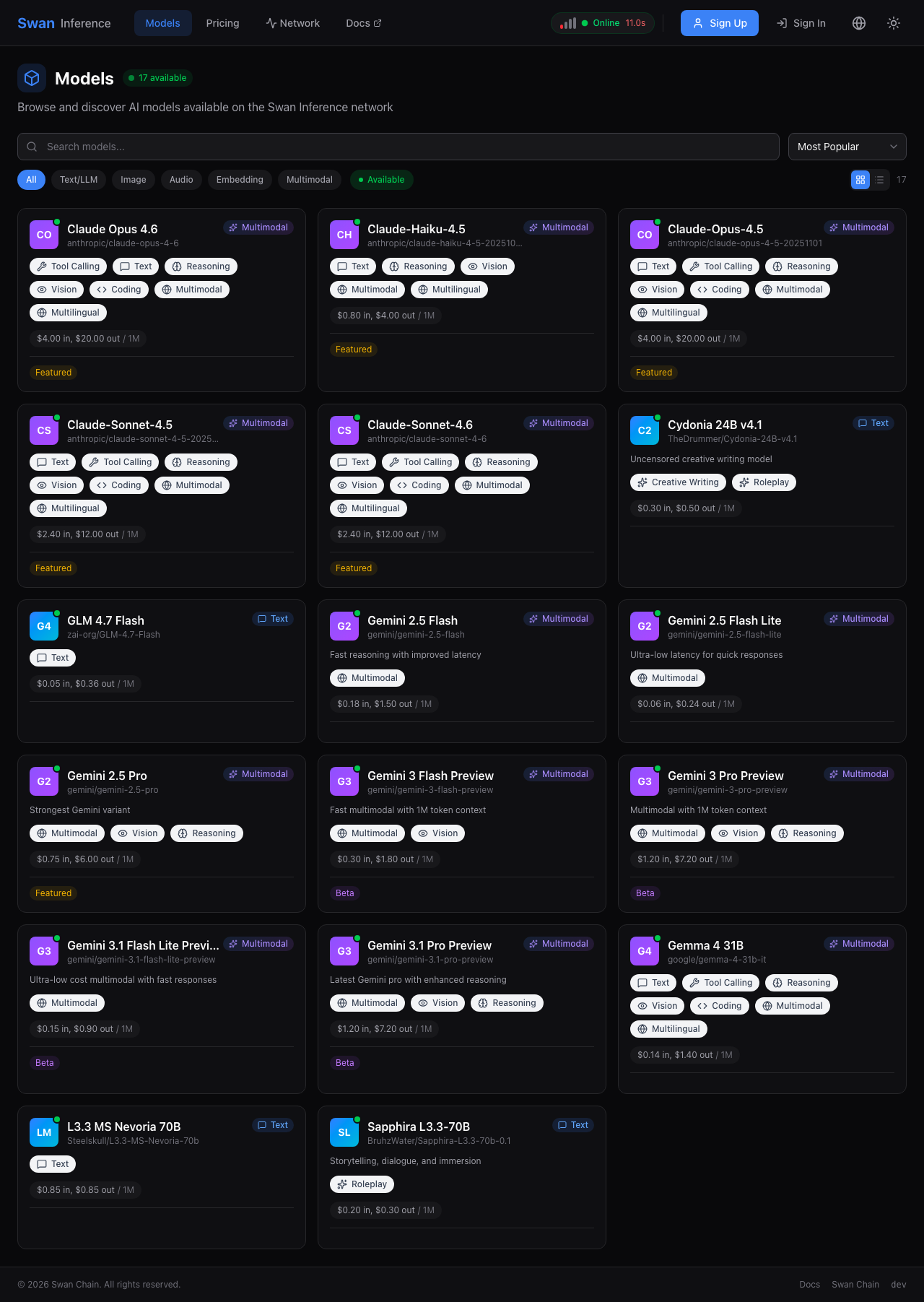
The [Models page](https://inference.swanchain.io/models) lists every model with live pricing, context length, tier, and how many providers are online for it right now — a model is only callable while at least one provider is serving it. Click any model for details and code examples.

<figure><img src="https://3478205236-files.gitbook.io/~/files/v0/b/gitbook-x-prod.appspot.com/o/spaces%2FcvUWH8GhRCqvKwuN0BGF%2Fuploads%2Fgit-blob-a08e3324a0685ad0d0736816098d58fe02d5f3dd%2Fmodels.png?alt=media" alt="Swan Inference models catalog"><figcaption><p>Live models catalog.</p></figcaption></figure>

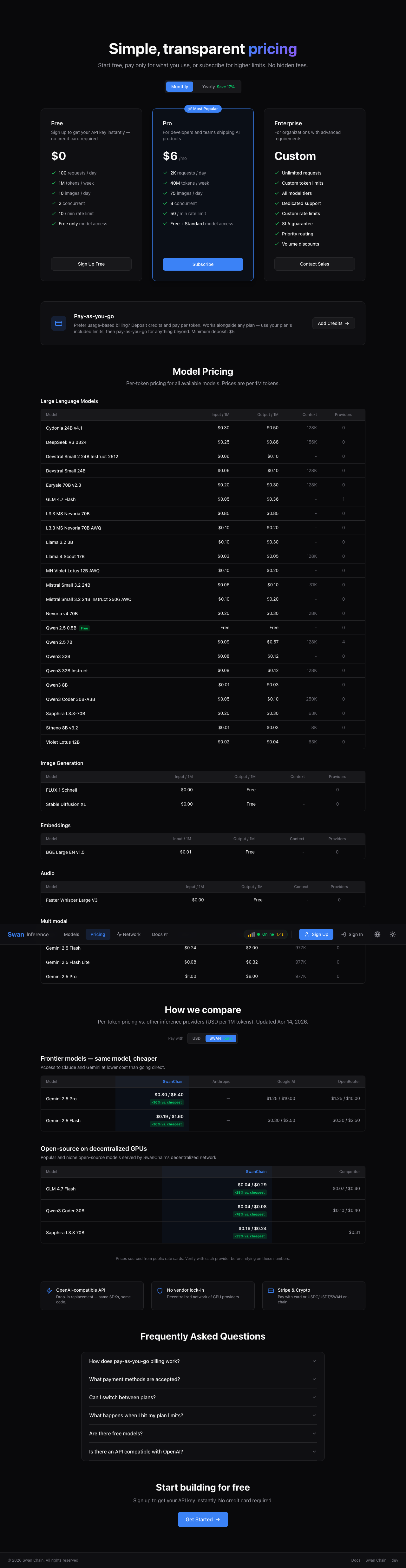
The [Pricing page](https://inference.swanchain.io/pricing) compares SwanChain's rates side-by-side against Anthropic, Google, OpenRouter, and other providers for hero models — so you can see how prices stack up at a glance.

<figure><img src="https://3478205236-files.gitbook.io/~/files/v0/b/gitbook-x-prod.appspot.com/o/spaces%2FcvUWH8GhRCqvKwuN0BGF%2Fuploads%2Fgit-blob-22f9fec0c724246d7c50347ecda2bdbde8555cc7%2Fpricing.png?alt=media" alt="Swan Inference pricing comparison"><figcaption><p>Pricing page with competitor comparison.</p></figcaption></figure>

## 4. Make your first inference request

Swan Inference is fully OpenAI-compatible — any existing OpenAI SDK or integration works by changing two things: the base URL and the API key. The examples below use `zai-org/GLM-4.7-Flash`, one of the cheapest hero models at $0.05 input / $0.36 output per 1M tokens.

### curl

```bash
curl https://api.swanchain.io/v1/chat/completions \
  -H "Authorization: Bearer sk-swan-YOUR-KEY" \
  -H "Content-Type: application/json" \
  -d '{
    "model": "zai-org/GLM-4.7-Flash",
    "messages": [{"role": "user", "content": "Say hello in 5 words."}]
  }'
```

### OpenAI Python SDK

```python
from openai import OpenAI

client = OpenAI(
    base_url="https://api.swanchain.io/v1",
    api_key="sk-swan-YOUR-KEY",
)

response = client.chat.completions.create(
    model="zai-org/GLM-4.7-Flash",
    messages=[{"role": "user", "content": "Say hello in 5 words."}],
)
print(response.choices[0].message.content)
```

### OpenAI Node.js SDK

```javascript
import OpenAI from "openai";

const client = new OpenAI({
  baseURL: "https://api.swanchain.io/v1",
  apiKey: "sk-swan-YOUR-KEY",
});

const response = await client.chat.completions.create({
  model: "zai-org/GLM-4.7-Flash",
  messages: [{ role: "user", content: "Say hello in 5 words." }],
});
console.log(response.choices[0].message.content);
```

Streaming, embeddings, image generation, and audio transcription all work identically to OpenAI. See the [API reference](/swan-inference/how-to-use/swan-inference-api.md) for every endpoint, the response headers that tell you which provider served you, and the limits.

## 5. Optional: choose the provider

Every model page lists the providers currently serving it, with each one's price, context window, quantization, 30-day uptime and typical time-to-first-token. To send a request to a specific one, add `X-Swan-Provider: <provider-id>`; add `X-Swan-Allow-Fallbacks: false` if you would rather the request fail than be served by someone else. The response tells you who served it and how it was billed (`X-Swan-Route-Mode`, `X-Swan-Fallback-Reason`, `X-Swan-Billing-Type`).

Two things to know: choosing a provider is **always pay-as-you-go from your credit balance** — it is not covered by a Token Plan, so keep some credit on the account — and it stays pay-as-you-go even if your provider is offline and a fallback serves the request. Details in the [API reference](/swan-inference/how-to-use/swan-inference-api.md#choosing-a-provider).

## Next steps

* [**Inference Marketplace**](/swan-inference/inference-marketplace.md) — deeper on how pricing, routing, and settlement work
* [**Become a Provider**](/swan-inference/become-a-provider.md) — want to earn by sharing GPU resources instead?
* [**API reference**](/swan-inference/how-to-use/swan-inference-api.md) — full list of endpoints, headers, limits and error codes
* [**AI agent integrations**](/swan-inference/how-to-use/claw-tools-integration.md) — point OpenClaw, Nanobot and friends at Swan Inference

Questions? Reach the team on [Discord](https://discord.gg/swanchain) or open an issue on [GitHub](https://github.com/swanchain).