For the complete documentation index, see llms.txt. This page is also available as Markdown.

For Developers

Step-by-step guide to using Swan 2.0 Inference Cloud as a consumer

This guide walks through using Swan Inference as a developer consuming AI models — starting with a no-signup trial, then creating an account, topping up, and making real API requests.

Looking to earn by providing GPU resources instead? See Become a Provider for the step-by-step setup guide.

0. Try it now — no signup

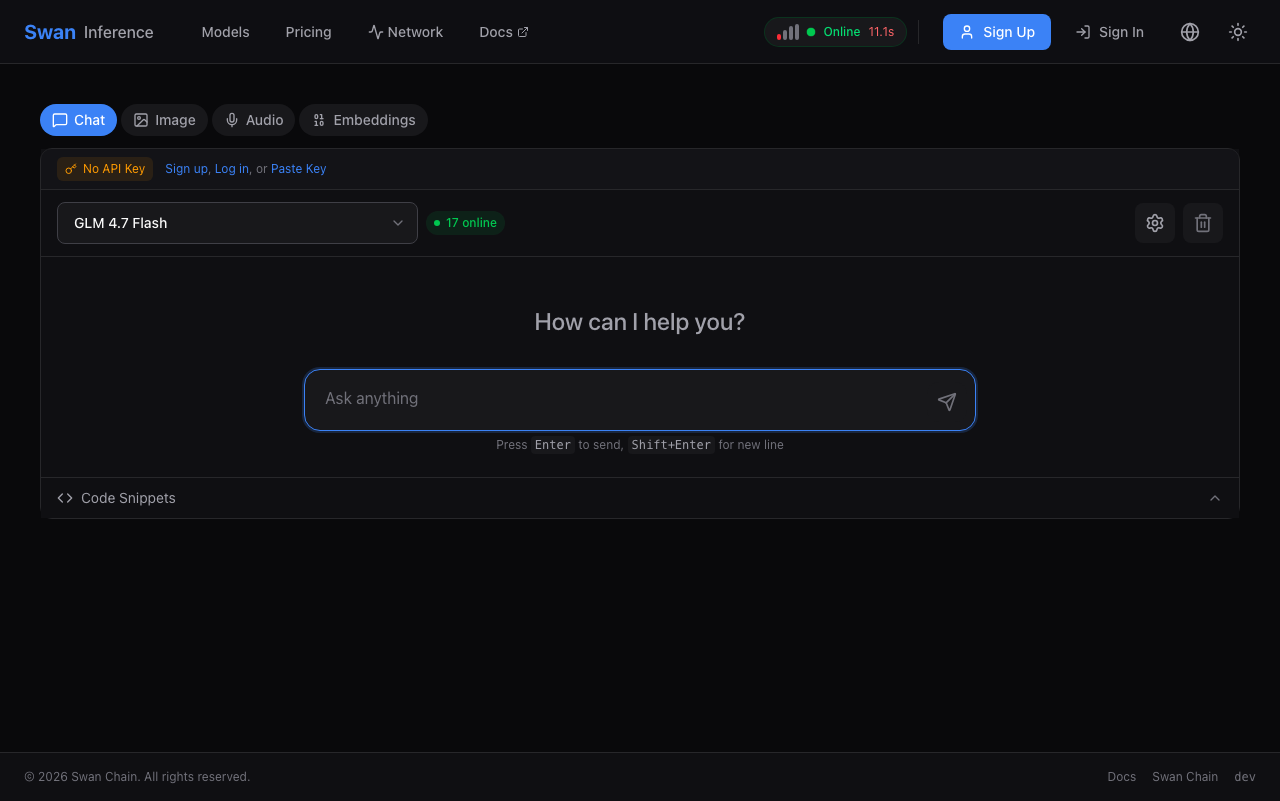
The fastest way to see Swan Inference in action: open the playground, pick a model, and send a message. No account, no API key, no credit card.

Swan Inference playground
Playground — runs GLM 4.7 Flash for anonymous visitors, rate-limited per IP.
Ready for more? Sign up below to get an API key and start integrating.

1. Sign up and get your API key

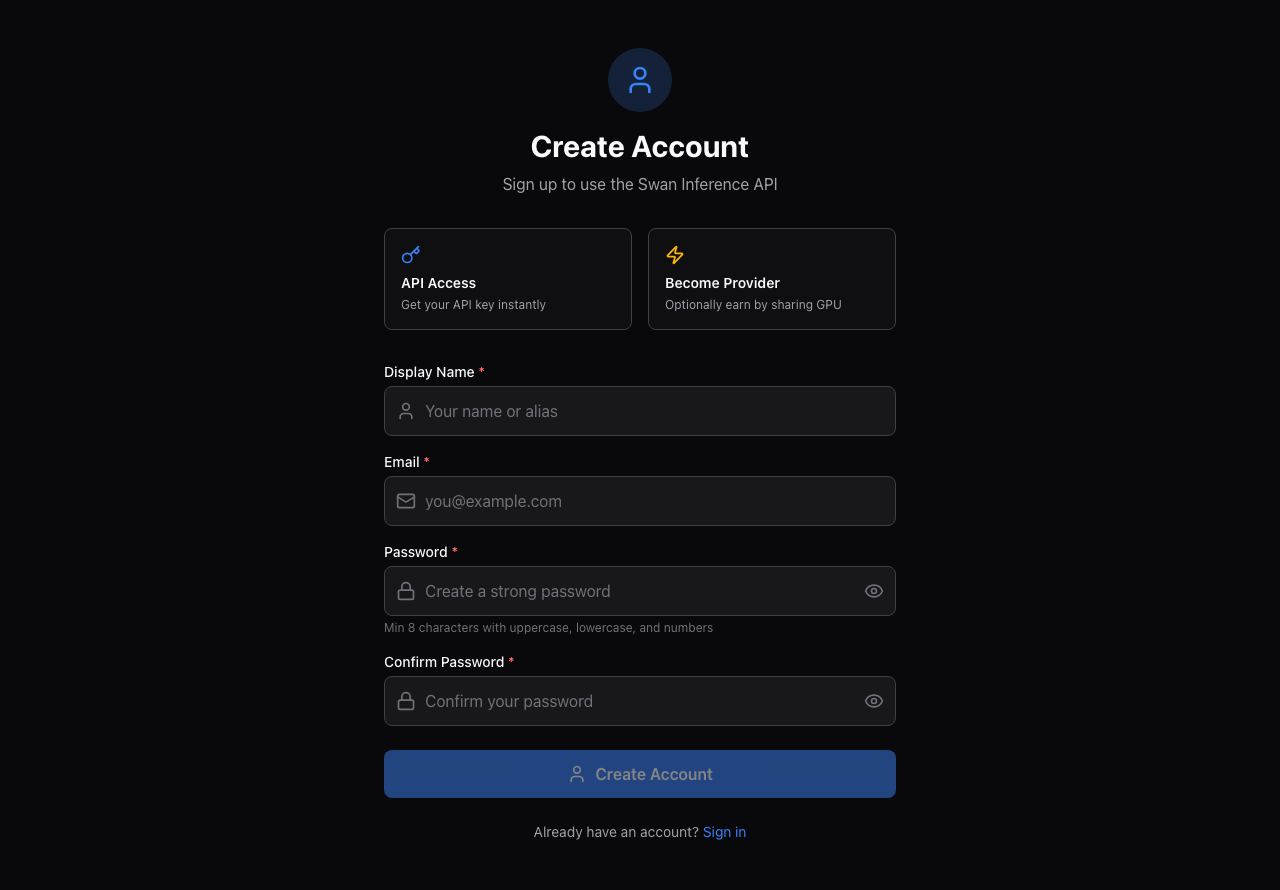
Create a free account at inference.swanchain.io/signup — email and password only, no credit card required.

Verify your email before continuing. Signing up sends a verification link, and the account cannot sign in or issue API keys until you click it. If you would rather skip this, sign in with a wallet instead: a wallet-bound account authenticates by signature, so it needs no email verification.

Swan Inference signup form
Sign up with email and password.

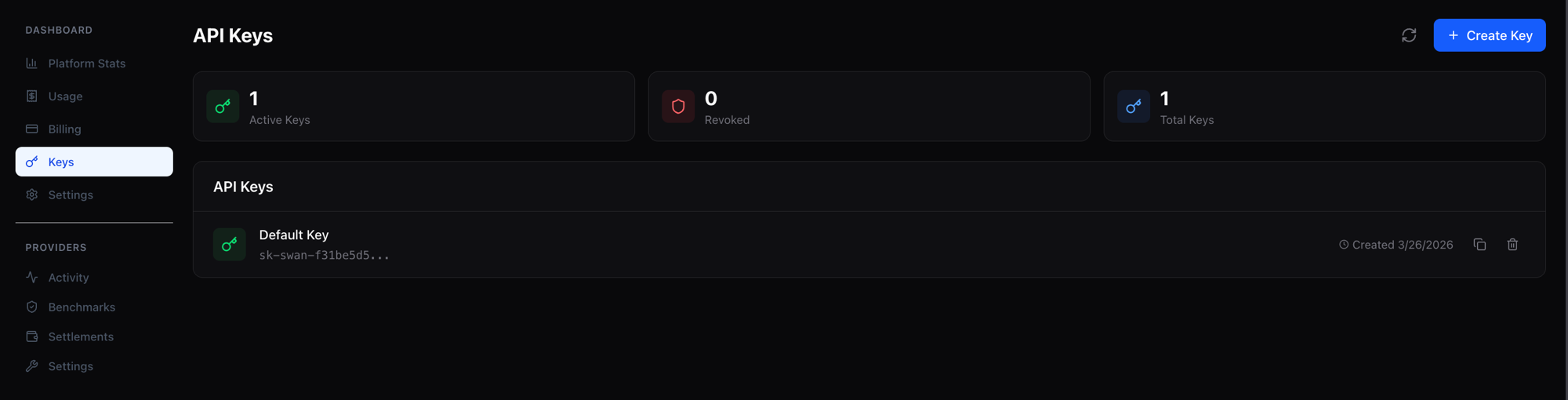
Once verified, navigate to Keys in the dashboard. Your API key (sk-swan-*) is generated automatically — copy it and keep it secret.

Dashboard showing API key
Your API key appears under Keys in the dashboard.
2. Top up credits

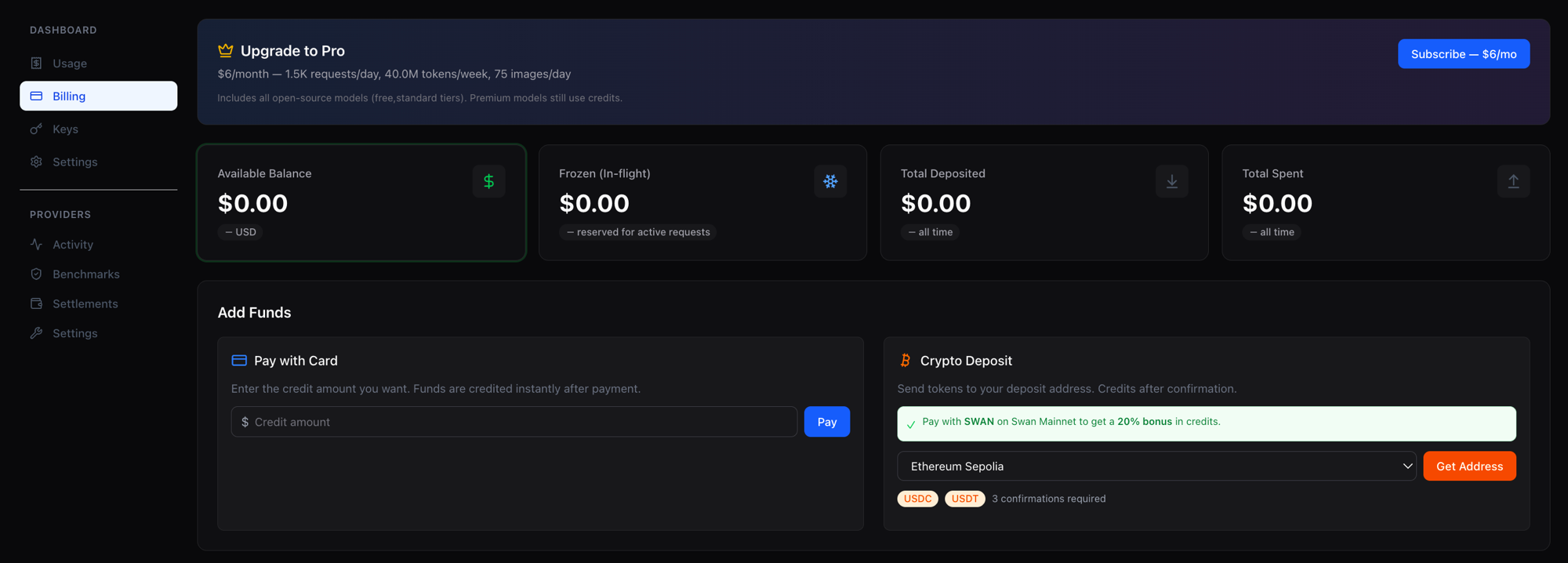
Inference requests are paid per token, deducted from your account balance in real time. Fund your account via Stripe (credit card) or crypto deposit (USDC / USDT / SWAN on multiple EVM chains).

  • Stripe: instant processing, minimum deposit $5

  • Crypto: per-user HD-derived deposit address shared across EVM chains, minimum $1

Deposit credits via Stripe or crypto
Add funds via Stripe card payment or crypto deposit.
20% bonus when depositing SWAN

Depositing SWAN tokens on Swan Mainnet credits your account with a 20% bonus on top of the USD value — $100 of SWAN becomes $120 of credits. Your account balance is a single USD-denominated pool regardless of how it was funded, so there's nothing special to toggle at request time; you simply get more credits per dollar when you deposit SWAN.

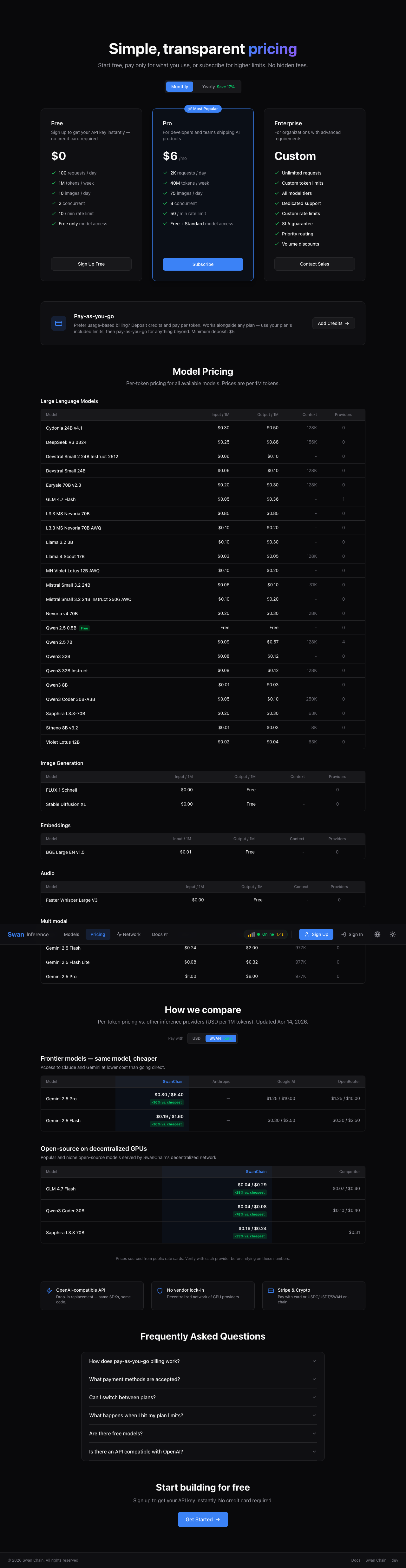
Combined with Swan's already-lower per-token pricing, the deposit bonus pushes effective rates roughly 50–66% below going direct to Anthropic or Google for comparable models. Flip the Pay with: SWAN toggle on the pricing page to see the effective rate across every model.

Pay-with-SWAN toggle on pricing page
Flip the Pay-with toggle to SWAN to preview the effective rate after the 20% deposit bonus.

Usage is deducted from your balance per request. View balance, usage, and the transaction ledger under Billing in the dashboard.

Or subscribe to the Token Plan

If you mostly use open-source models, the Pro plan ($6/month, billed monthly by card) includes $24 of inference per month at list prices on free- and standard-tier models, at 1,500 requests per day, plus 75 images/day. The allowance is denominated in value rather than tokens, so it goes further on cheaper models. Premium-tier models (Claude, Gemini Pro, …) stay pay-as-you-go from your credit balance, as does anything beyond the allowance and any request where you choose the provider yourself. Subscribe from the pricing page; a model's tier is shown on its catalog page.

3. Browse models

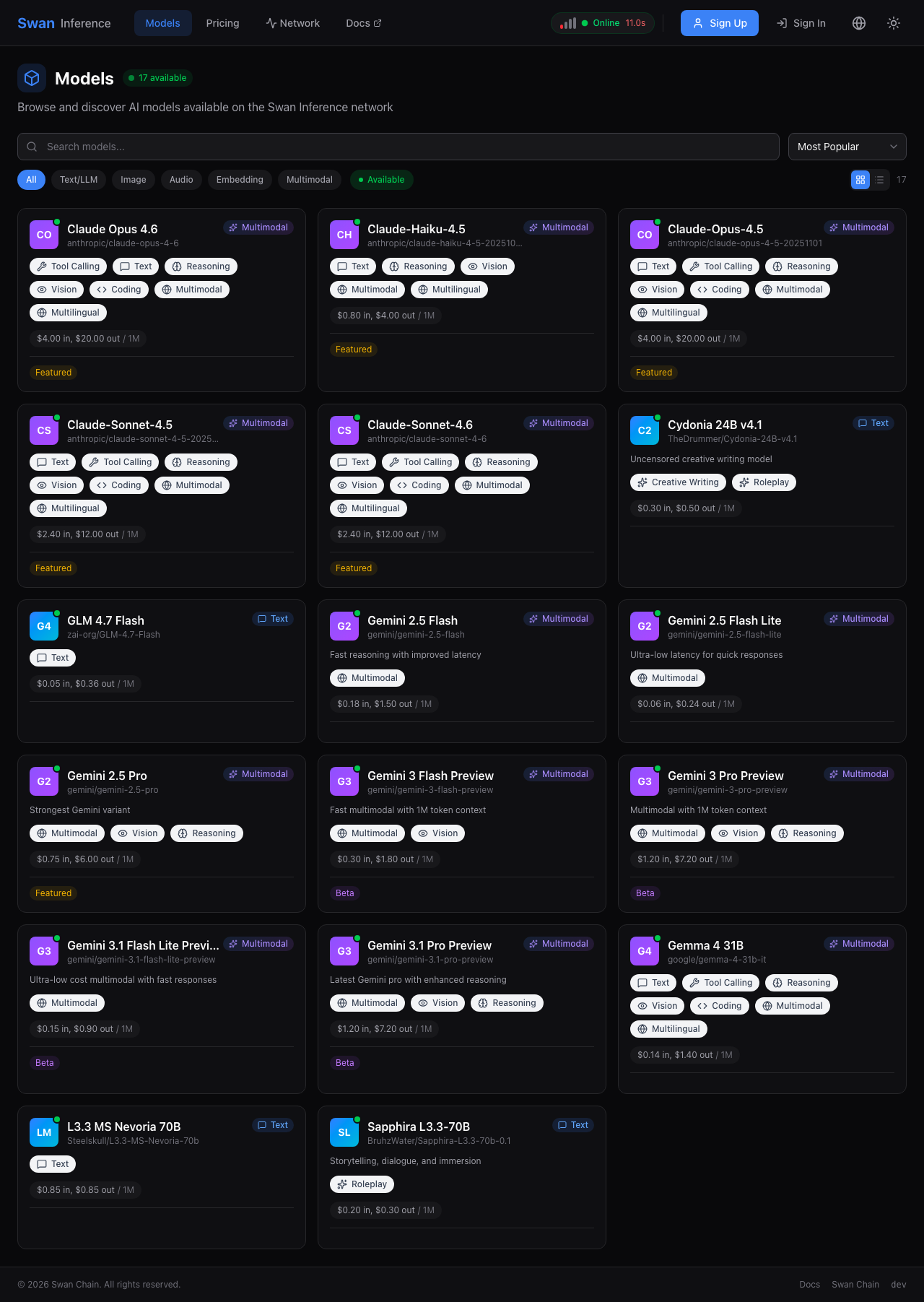
The Models page lists every model with live pricing, context length, tier, and how many providers are online for it right now — a model is only callable while at least one provider is serving it. Click any model for details and code examples.

Swan Inference models catalog
Live models catalog.

The Pricing page compares SwanChain's rates side-by-side against Anthropic, Google, OpenRouter, and other providers for hero models — so you can see how prices stack up at a glance.

Swan Inference pricing comparison
Pricing page with competitor comparison.

4. Make your first inference request

Swan Inference is fully OpenAI-compatible — any existing OpenAI SDK or integration works by changing two things: the base URL and the API key. The examples below use zai-org/GLM-4.7-Flash, one of the cheapest hero models at $0.05 input / $0.36 output per 1M tokens.

curl

OpenAI Python SDK

OpenAI Node.js SDK

Streaming, embeddings, image generation, and audio transcription all work identically to OpenAI. See the API reference for every endpoint, the response headers that tell you which provider served you, and the limits.

5. Optional: choose the provider

Every model page lists the providers currently serving it, with each one's price, context window, quantization, 30-day uptime and typical time-to-first-token. To send a request to a specific one, add X-Swan-Provider: <provider-id>; add X-Swan-Allow-Fallbacks: false if you would rather the request fail than be served by someone else. The response tells you who served it and how it was billed (X-Swan-Route-Mode, X-Swan-Fallback-Reason, X-Swan-Billing-Type).

Two things to know: choosing a provider is always pay-as-you-go from your credit balance — it is not covered by a Token Plan, so keep some credit on the account — and it stays pay-as-you-go even if your provider is offline and a fallback serves the request. Details in the API reference.

Next steps

Questions? Reach the team on Discord or open an issue on GitHub.

Last updated